



Download KDE Windows Installer – KDE, Windows, desktop environment, install, applications, productivity, utility, tool, software, utility tool, KDE applications, KDE desktop, desktop installer, Windows desktop, KDE software
Overview
The KDE Windows Installer is a specialized utility designed to bring the KDE desktop environment and its suite of applications to Windows operating systems. This tool enables users to experience the rich functionality and modern interface of KDE within a Windows environment, bridging the gap between two distinct computing ecosystems. Its primary purpose is to simplify the integration of KDE software into Windows, offering a way to access powerful productivity tools, web browsing capabilities, and customizable desktop features without requiring a full system switch.
Target users include developers, system administrators, and power users who are familiar with KDE’s workflow and prefer its tools over native Windows alternatives. It also appeals to individuals exploring open-source desktop environments or seeking enhanced customization options on legacy Windows systems. The installer supports older Windows versions such as Windows 2000, XP, and 2003, with future compatibility planned for Windows Vista, making it a valuable solution for users constrained by outdated hardware or software policies.
By providing access to KDE applications through an intuitive installation process, the tool addresses the challenge of cross-platform software accessibility. It allows users to run familiar KDE utilities like Konqueror and other productivity tools directly on Windows, enhancing workflow efficiency. This approach fosters a hybrid computing experience where the strengths of both platforms can be leveraged. The developer, KDE, is a well-established open-source community known for its commitment to user-centric design and software innovation.
Key Features & Functionality
- Simple Installation Process: The installer allows users to select their preferred installation directory with minimal technical effort. This streamlined setup reduces barriers for users unfamiliar with manual software deployment, ensuring accessibility across skill levels.
- Access to KDE Applications: A curated selection of original KDE software is included, offering tools for productivity, file management, and web browsing. While not all KDE applications are available, the core utilities provide a robust foundation for daily use.
- Categorized Program Organization: Applications are grouped by function, enabling users to locate tools efficiently. This structure supports both discovery and routine access, particularly beneficial for new users exploring the KDE ecosystem.
- Support for Legacy Windows Systems: Compatibility with Windows 2000, XP, and 2003 ensures that users on older systems can still benefit from modern open-source software, extending the lifespan of outdated hardware.
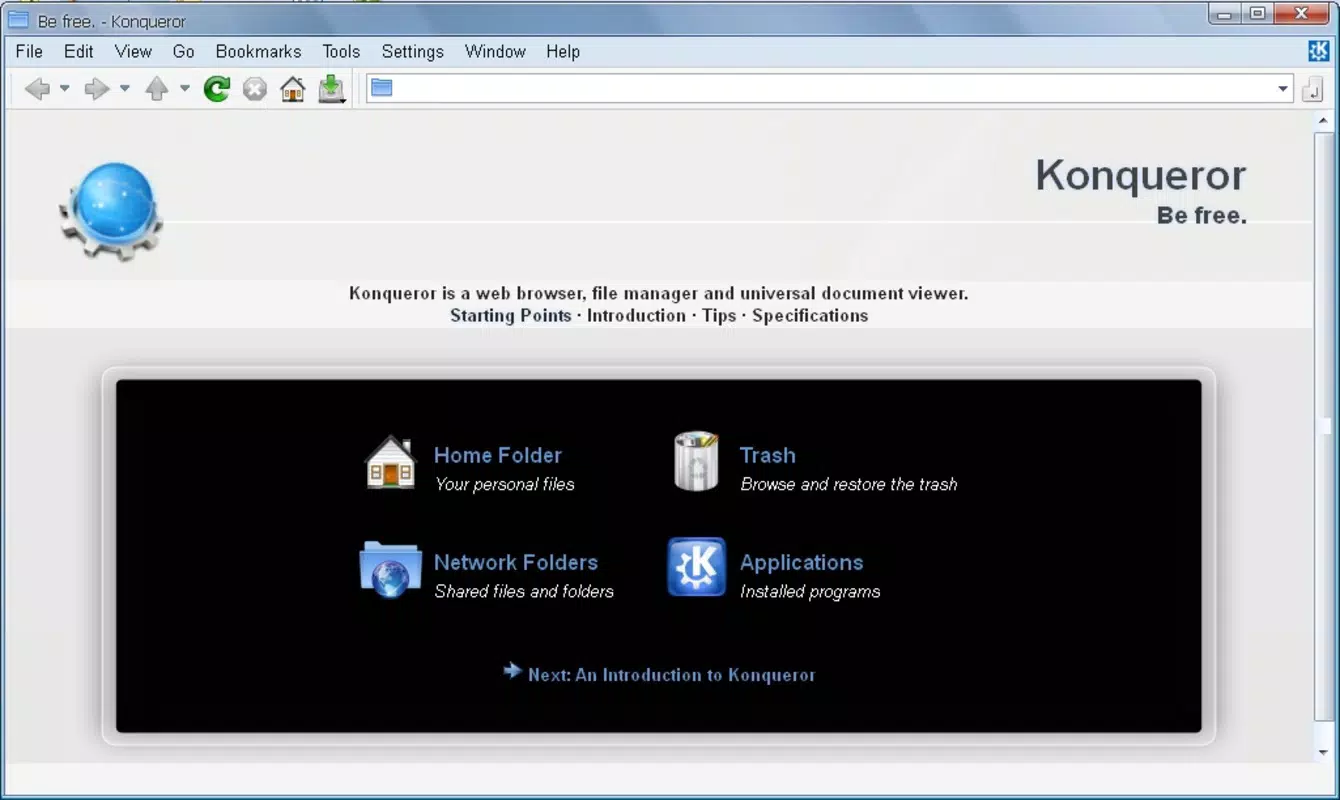
- Exploratory Tools via Konqueror: The integrated Konqueror browser serves dual roles—as a web browser and a file and application explorer. This allows users to navigate installed software and access documentation within a single interface, enhancing usability and learning.
For example, a user on a Windows XP machine can install KDE Windows Installer, choose a custom folder, and then use Konqueror to browse available applications, launch tools like Kate (text editor), or access online resources. This integrated workflow supports both immediate use and long-term exploration of KDE’s capabilities.
Interface, UX & Performance
The interface of KDE Windows Installer is designed around simplicity and usability, focusing on a minimalistic installation wizard that guides users through the setup process. The visual style reflects the clean, modern aesthetic associated with the KDE desktop, even within the Windows environment. Navigation is straightforward, relying on standard input fields and buttons, which ensures consistency with common Windows user expectations.
After installation, users interact primarily through the Konqueror web browser, which acts as a central hub for launching applications and exploring system content. This unified interface reduces the need for multiple launchers or complex menus, promoting a cohesive user experience. Although the developer did not list formal performance metrics, the installer’s lightweight footprint—150 MB—suggests efficient resource usage, which is particularly beneficial on older systems.
Responsiveness is expected to be stable given the tool’s targeted use on legacy platforms. The application’s performance on different device categories cannot be verified due to lack of technical specifications. However, the installer’s focus on compatibility with older Windows versions implies optimization for low-resource environments. Stability is likely maintained through the use of tested, open-source components, though real-world testing across diverse hardware is not documented.
Platform Compatibility & Technical Requirements
KDE Windows Installer is designed for the Windows platform and is compatible with Windows 2000, XP, and 2003, with future support planned for Windows Vista. The application is distributed as a single executable package with a file size of 150 MB, making it suitable for systems with limited storage capacity.
The developer did not specify minimum OS requirements beyond the listed versions. It is unclear whether the installer supports 64-bit Windows systems or newer versions such as Windows 7 or 8. Similarly, specific hardware requirements, such as RAM or processor type, were not disclosed. Users should exercise caution when deploying on systems with minimal resources, as performance may vary depending on the underlying hardware.
Pros and Cons
Pros
- Provides access to KDE applications on legacy Windows systems
- Simple, user-friendly installation process with folder selection
- Supports older Windows versions, including Windows 2000 and XP
- Applications are organized by category for easier navigation
- Free to download and use, with no licensing restrictions
Cons
- Not compatible with newer Windows versions beyond the listed ones
- Missing some KDE applications, limiting full functionality
- Limited technical documentation or support channels
- Performance and stability on modern hardware are unverified
- Developer did not provide detailed system requirements
FAQ
Is KDE Windows Installer safe to download and install?
Yes, the installer is distributed by the KDE community, a reputable open-source organization. It is free of known malware and designed to run in a controlled environment on supported Windows systems.
Can I use KDE Windows Installer on Windows 10 or Windows 11?
The developer did not confirm compatibility with Windows 10 or 11. Based on the release date and supported versions, it is unlikely to function properly on these newer systems.
What applications are included in the installer?
The installer includes a selection of original KDE applications, such as Konqueror, Kate, and other productivity tools. However, not all KDE software is available due to compatibility and dependency constraints.
Do I need to be a technical expert to use this tool?
No. The installation process is designed to be accessible to users with minimal technical knowledge. The setup wizard guides users through folder selection and basic configuration.
How often is the installer updated?
The developer did not specify update frequency. The current version is 2.0.0, released on February 17, 2012. Users should verify if newer versions are available through official KDE channels.
Final Thoughts
KDE Windows Installer remains a unique solution for users seeking to integrate KDE’s powerful software suite into a Windows environment, particularly on older systems. Its ability to run familiar KDE tools on legacy platforms makes it a valuable utility for those who rely on outdated hardware or prefer open-source alternatives. While it lacks support for modern Windows versions and has a limited application set, its simplicity, low resource demand, and free availability make it a compelling choice for niche use cases.
For developers, IT professionals, and open-source enthusiasts working with older Windows machines, this tool offers a practical way to enhance productivity without switching operating systems. It represents a bridge between two worlds—KDE’s innovation and Windows’ ubiquity—providing a hybrid experience that balances familiarity with functionality.
Download KDE Windows Installer now


